
Closed testing
How to get Jot
Jot is currently in closed testing and has not been published on Google Play yet. During this phase, access is limited to a small group of testers.
Once the app becomes publicly available, you will find the link to Google Play right here.
How Jot works
Notebooks
In Jot, everything is organized into notebooks. A notebook is a topic you want to keep a log of — meals, mood, your observations, experiments and trials, notes from a course, ideas from your latest book. Each notebook defines what you are going to keep in it and how: its fields, color categories and export format. Create as many as you need.
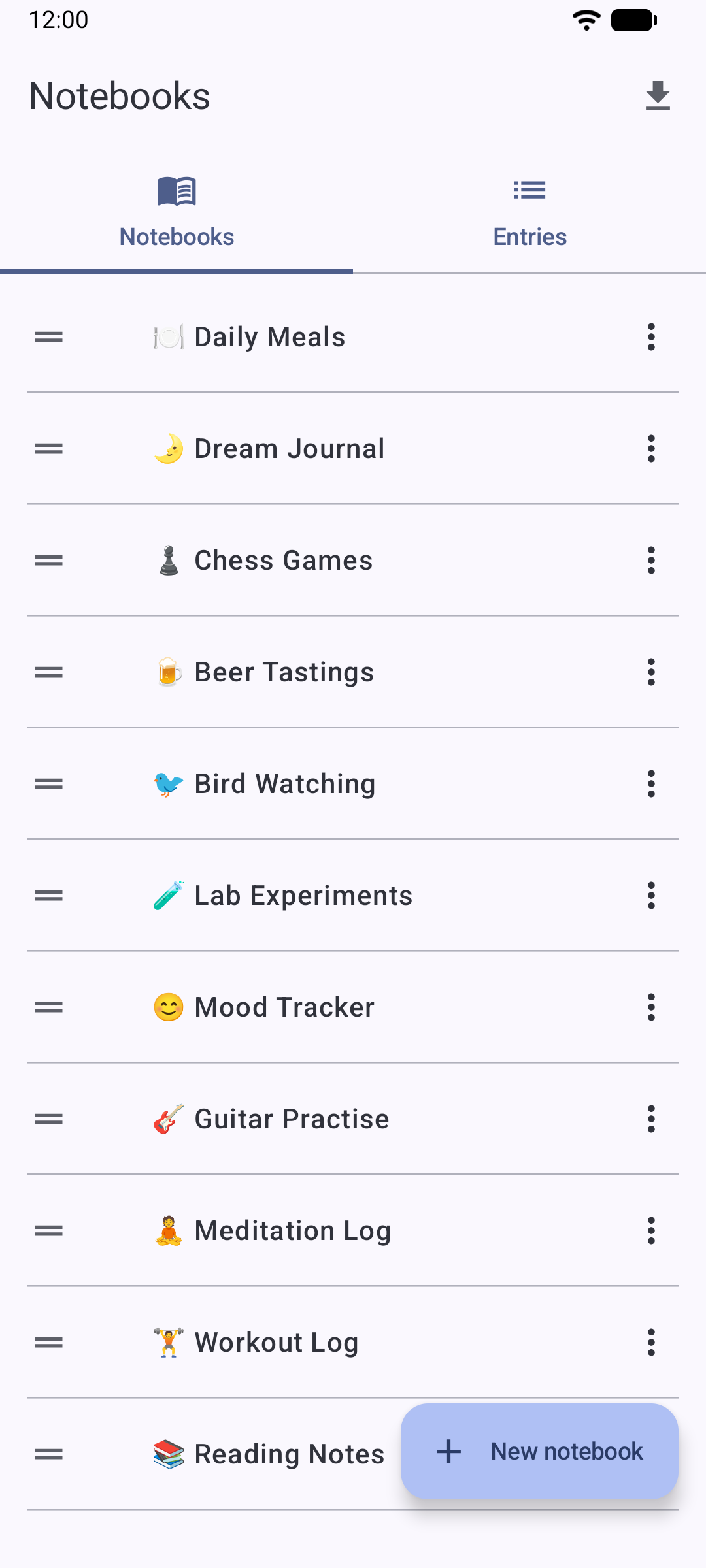
The notebook editor
From the notebook editor you adjust everything that defines it:
- Its name: to tell it apart from your other notebooks.
- Its fields: what you are going to write in each entry.
- Its color categories: to classify entries at a glance.
- Its export format: grid or linear, depending on what you are going to log.
You also choose the time precision: hour only (09h) or hour and minutes (09:32), depending on how fine-grained you want your log to be. Fields, categories and the export format are explained in more detail in the next sections.
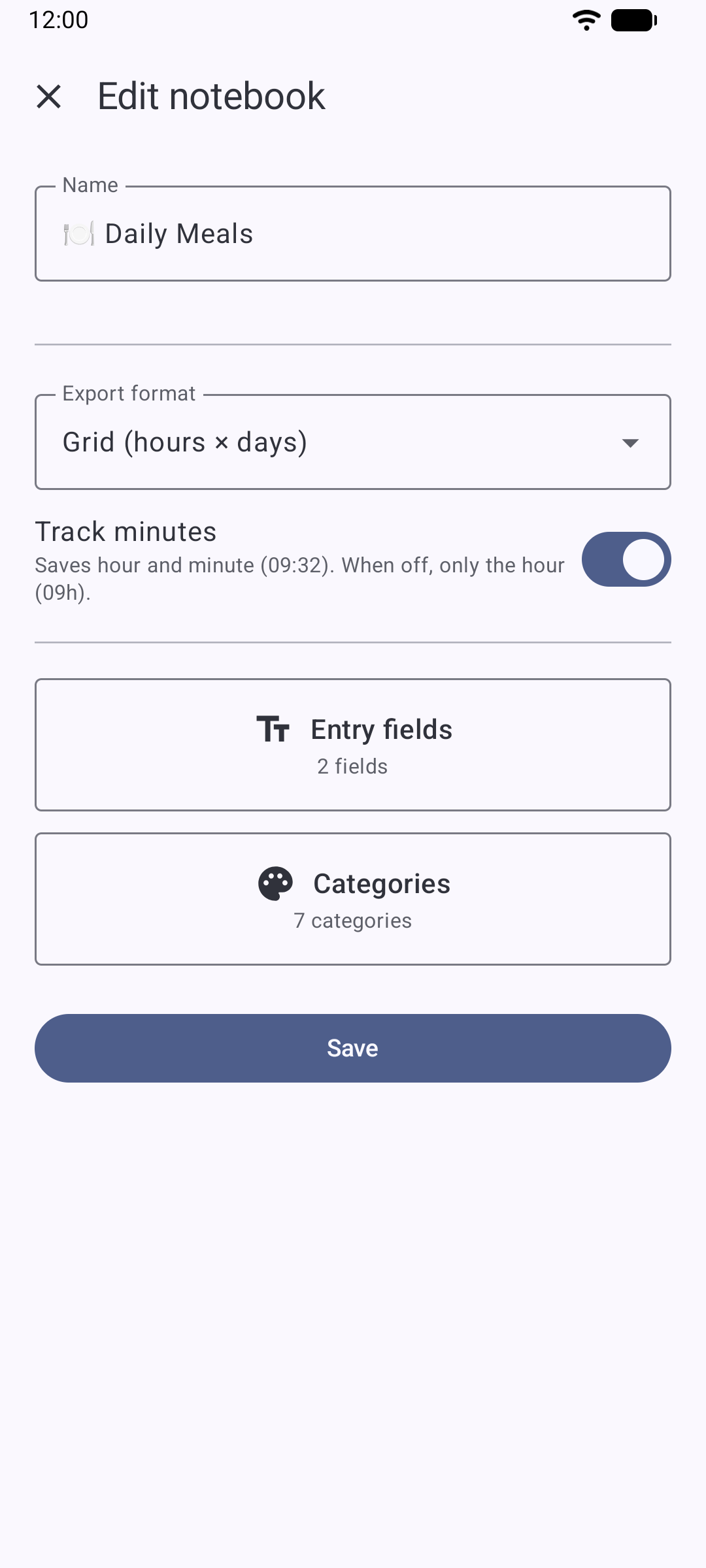
Fields, your way
Each notebook organizes what you jot down into as many text fields as you need. A mood diary might have fields for the state and its cause; a chess one, for the opponent, the opening played, the result and your analysis; a dream one may do just fine with a single field.
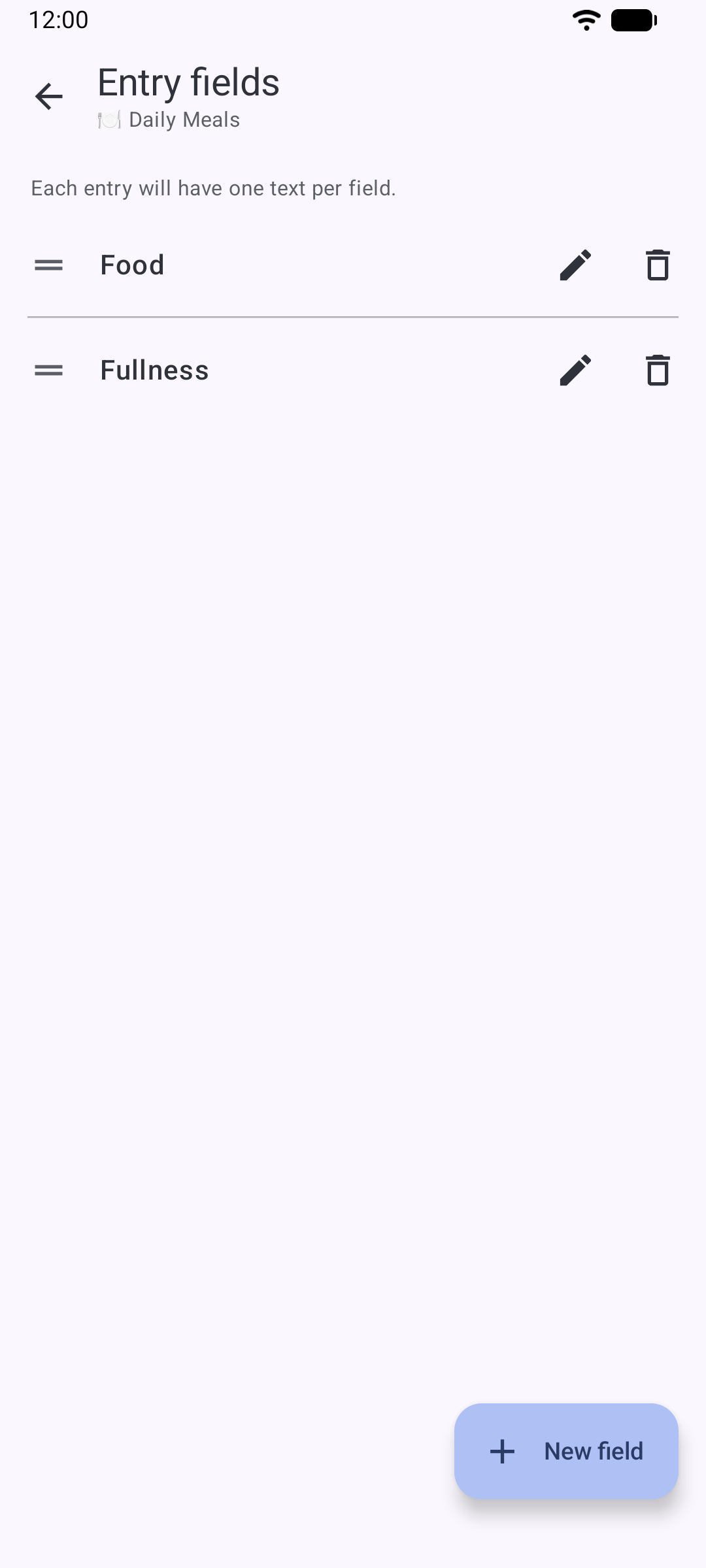
Color categories
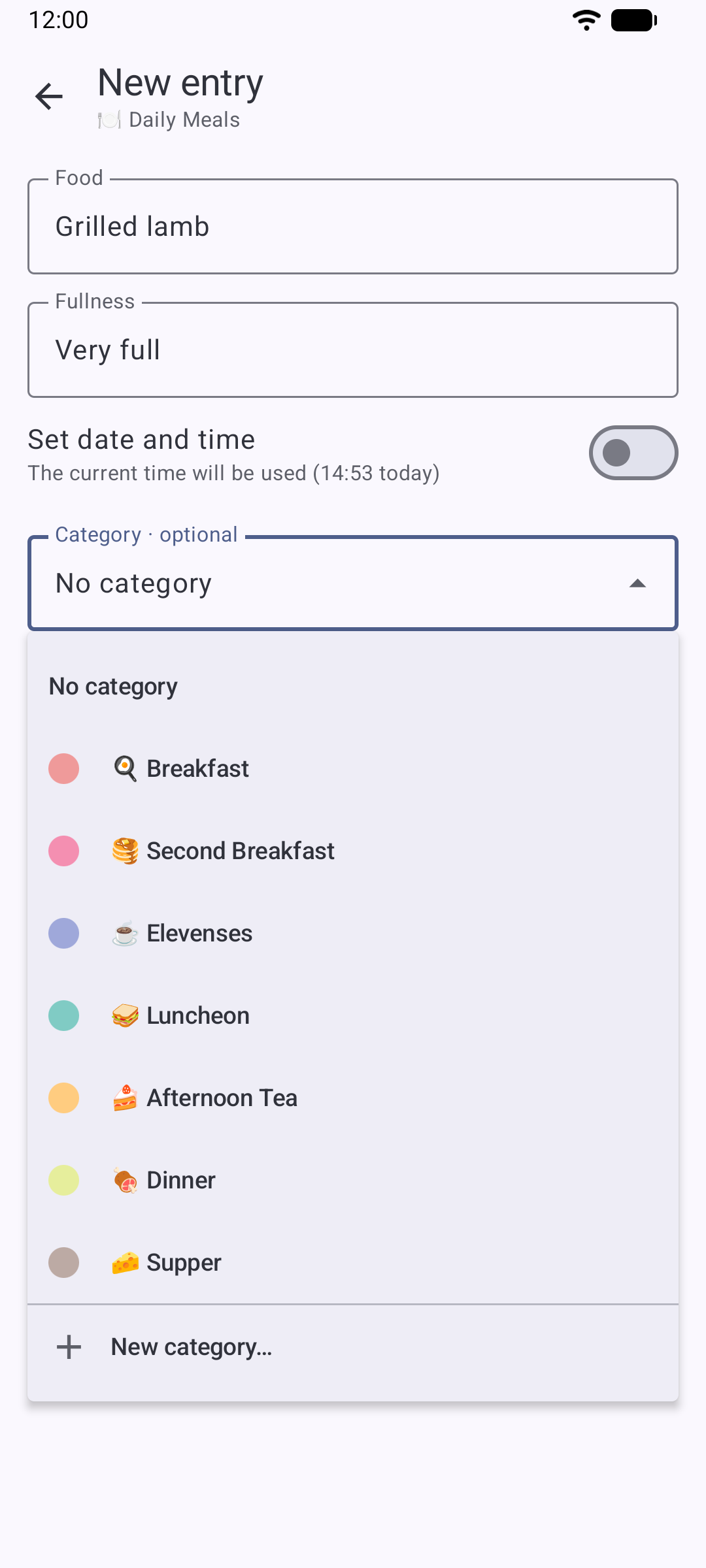
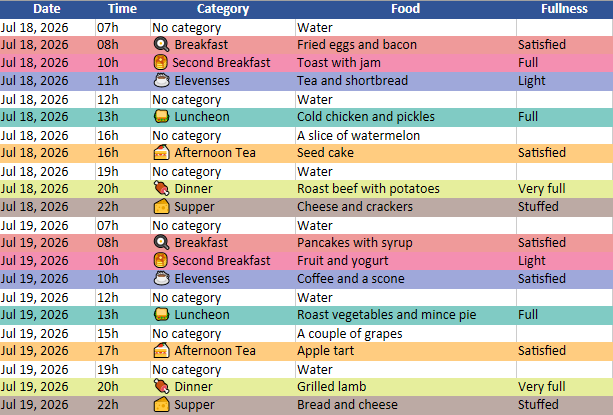
You create each notebook's categories: as many as you like, with the name and color you prefer — from a palette or fully custom. When you add an entry, you pick the category it belongs to, and you will see it reflected both in your entry list and in the exported Excel. In a meals notebook, for example: breakfast, lunch, dinner.
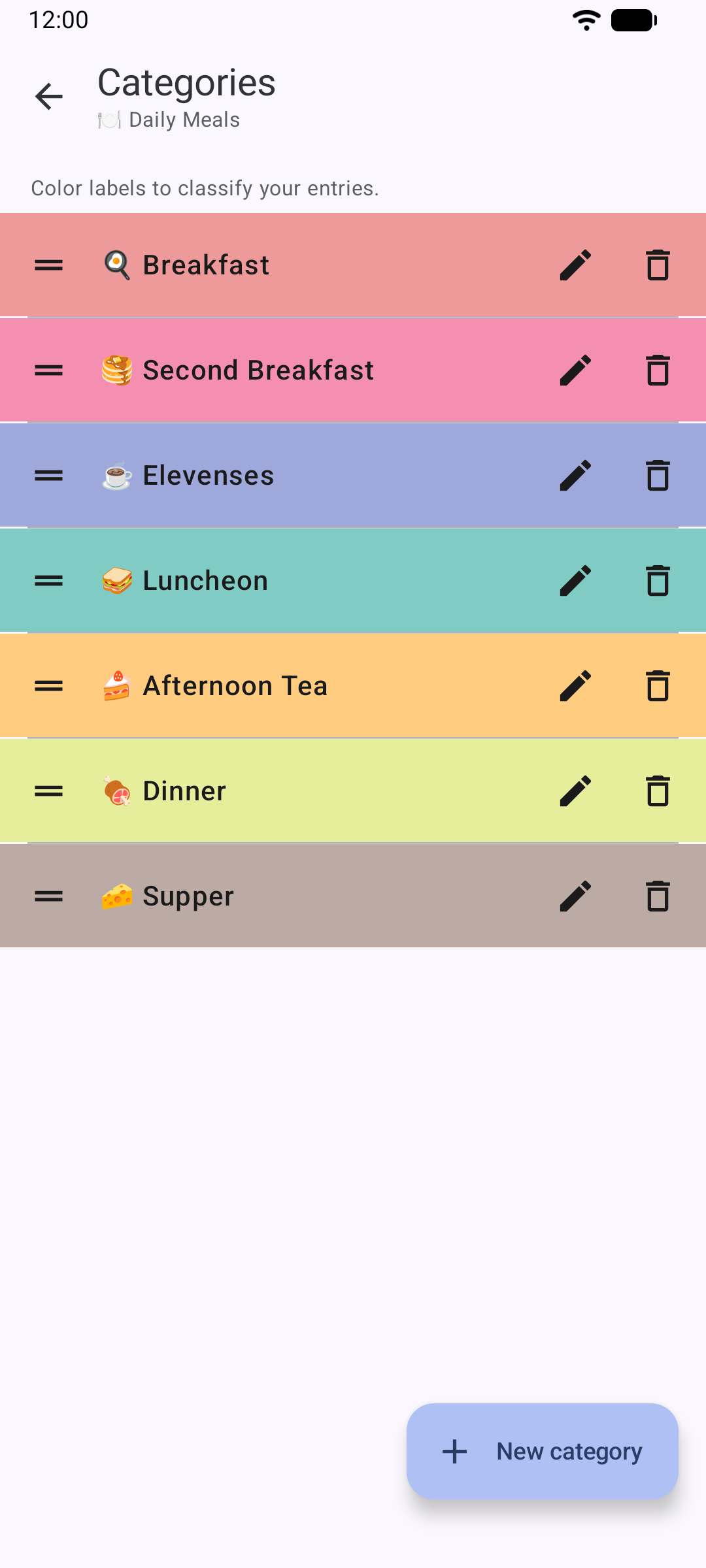
Adding an entry
Logging something is that direct: open the notebook, create a new entry and fill in its fields — as many as you want; the rest can stay blank. Each entry stores its own date and time, plus a category if you give it one. No hunting for today's row in a never-ending document, no looking for the right cell in a spreadsheet, no checking the clock — just the note you have in your head right then.
Your entries, day by day
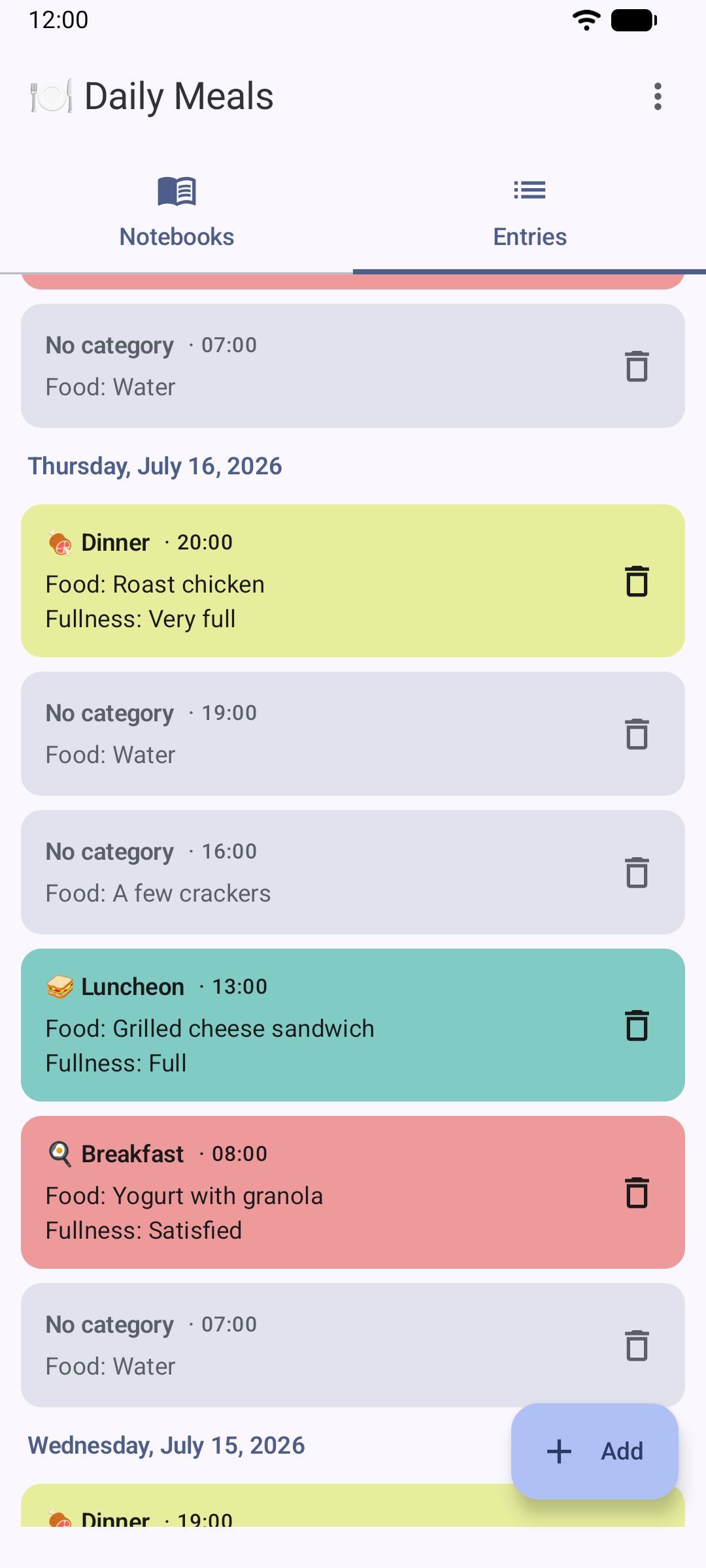
A notebook's entry list shows your notes day by day, colored by their category. You can review the week at a glance or find one specific day. Tap any entry to see its full detail or edit it.
Notebook templates
A notebook can also be shared as a template: a small
.jotnb file with its entire configuration — name, fields,
categories, export format and time precision — and no entries at all. It is
sent however you like through Android's standard share menu.
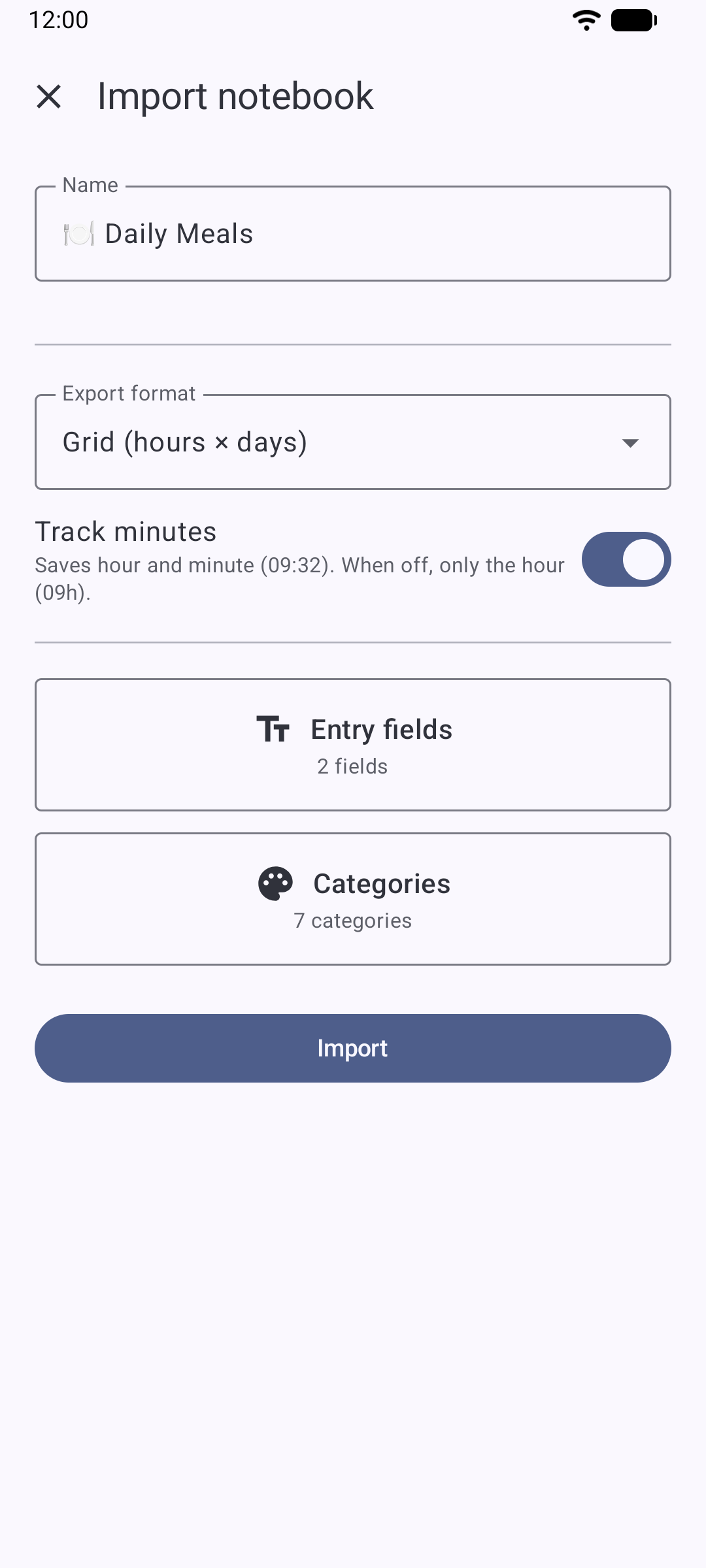
The recipient just opens the file: Jot recognizes it, shows them the configuration for review and creates an identical notebook, empty and ready to use. If you already have the file saved without having opened it that way, you can also import it from inside the app itself. Handy for setting up a notebook and passing it to someone else ready to go, without them having to build it from scratch.
Export to Excel and share
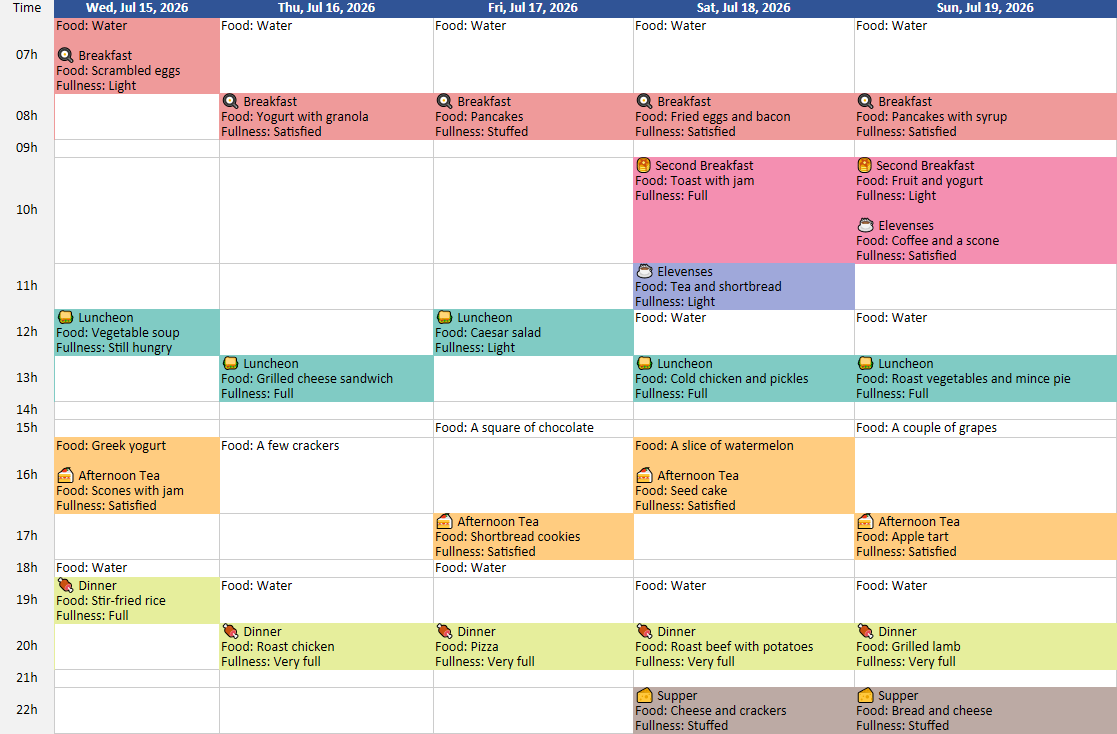
Export any notebook to Excel whenever you need to and share it with whoever you want — or with yourself, to look at it on the computer — using Android's standard share menu. The format is chosen when you configure the notebook, between two options:
- Grid (hours × days): one row per hour of the day and one column per day with entries — your whole history reads like a timetable. With many fields, the app itself will suggest the linear format.
- Linear (one row per entry): the classic chronological list, with columns for date, time and category plus one column per notebook field — handy for filtering and sorting.
In both formats, every entry is colored with its category.
About Jot
Keeping a daily log in a spreadsheet, from your phone, is tedious: small screen, endless scrolling, easy to hit the wrong cell. Jot solves that — you jot things down quickly and pull out a ready-made Excel file. It started out meant only for meals, but there is no reason to stop there: it works just as well for anything you want to jot down the same way, something brief every day over a fixed structure. Jot is a general-purpose logger:
- Meal diary, for a nutrition consultation
- Symptoms or headaches, for the doctor
- Habits you keep: water, sleep, exercise
- Mood, day by day
- Chess games
- Bird sightings
- Lab notes
- Dreams
Jot is developed by Aokaeru Studio.
Contact
Questions, suggestions or a problem with the app? Write to me:
hello@aokaerustudio.com
Privacy policy
Last updated: July 12, 2026
This policy describes what data is handled by Jot (com.aokaeru.jot),
the Android application developed by Aokaeru Studio. The short version: Jot
does not collect any data.
Data we collect
None. Jot does not collect, store on servers or transmit any data, whether personal or usage-related. The application:
- does not connect to the internet and does not request any network permission,
- does not include analytics, advertising or third-party SDKs,
- does not require an account, registration or login.
Where your data is stored
Everything you record in Jot — notebooks, fields, categories and entries — is stored solely in your device's local storage. Your data does not leave it unless you decide to share it.
Exporting and sharing
Exporting to Excel and sharing notebook templates use Android's standard share mechanism and are always initiated manually by the user. You decide what to share, when, and with which app or recipient; Jot never sends anything on its own.
Changes to this policy
If this policy changes in the future — for example, due to new features — this page will be updated along with the “last updated” date.
Contact
For any questions about this policy: hello@aokaerustudio.com
Legal notice
Jot is distributed “as is”, without warranties of any kind, either express or implied, including, but not limited to, the implied warranties of merchantability, fitness for a particular purpose and absence of defects. There is no guarantee that the application will operate uninterrupted or free of defects on every device and configuration.
Use of the application is at the user's own responsibility. To the maximum extent permitted by applicable law, the developer shall not be liable for damages arising from the use of, or the inability to use, the software. Using the export feature to keep copies of important information is recommended.